 Brew
Brew


Free
The ledger, at no cost and with no card: earnings from every platform in one place, expenses with their receipts, a mileage log you add to yourself, and a tax estimate on your own tax year.
Slide 1 of 7: Auto tracking
Trips, earnings, expenses and reports live together, so the numbers you file at tax time are the numbers you actually drove.
Background GPS mileage tracking with no manual start: drives are detected, measured and logged by themselves, on Pro and above.
Every platform and client in one ledger — and BrewGig turns finished work into branded PDF invoices on Premium.
Read more about earnings and invoices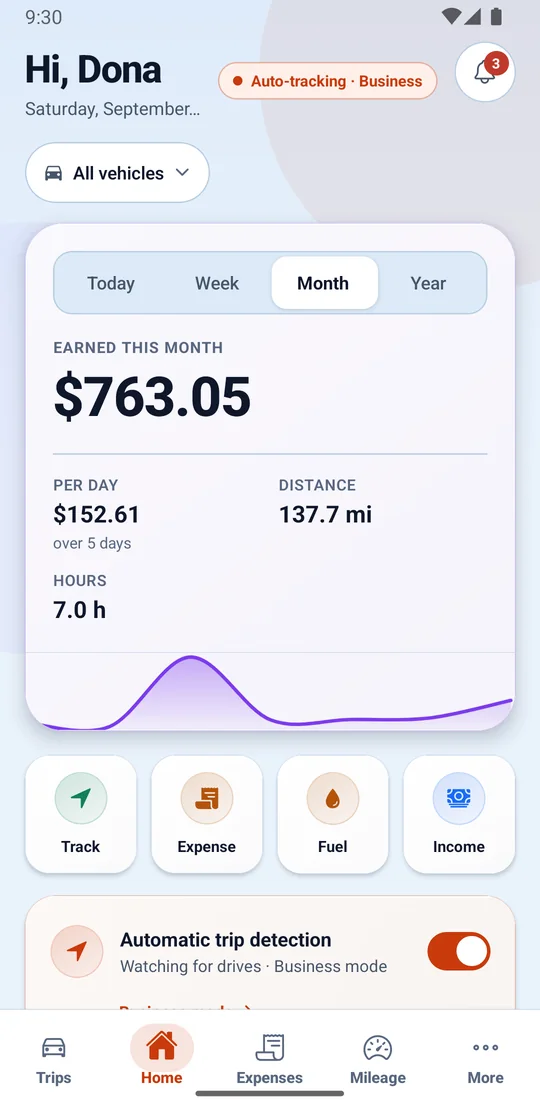
Photograph the receipt straight onto the expense, and fuel keeps its own log beside what the vehicle earns.
BrewGig estimates tax on your real tax year, with mileage and expenses already deducted.
Daily to yearly targets with honest pacing — and per-platform analytics in Insights on Premium.
Read more about goals and insightsExcel export on every plan, CSV import from Pro, row-level security everywhere, and deletion that deletes.
Read more about your records, yoursThree things happen around every shift, and on Pro and above none of them needs you to touch your phone while you drive.
Tell BrewGig how you work: the platforms and clients you work with, your country and currency, and — if you drive — automatic tracking, on Pro and above. It finds the battery and permission settings that silently stop trackers and walks you to each one.
On Pro and above drives are detected and measured by themselves, with a live pill reading “Recording · 2.4 km”, and one swipe files anything left unsorted. Tasks, earnings and tips take a couple of taps; an expense takes a photo of its receipt.
Finished work becomes a branded PDF invoice on Premium, the tax estimate updates from the same records on your country’s real tax year, and a formatted Excel export is on every plan — including free.
Most drivers under-claim because their log has gaps. Slide to see what a complete log is worth over a year of driving.
An average week, across every platform.
No mileage rate is published here for your country yet, so this shows the distance only. In the app you enter the rate your own tax authority sets.
Real screens from BrewGig on Android.
Earnings, distance and hours at a glance
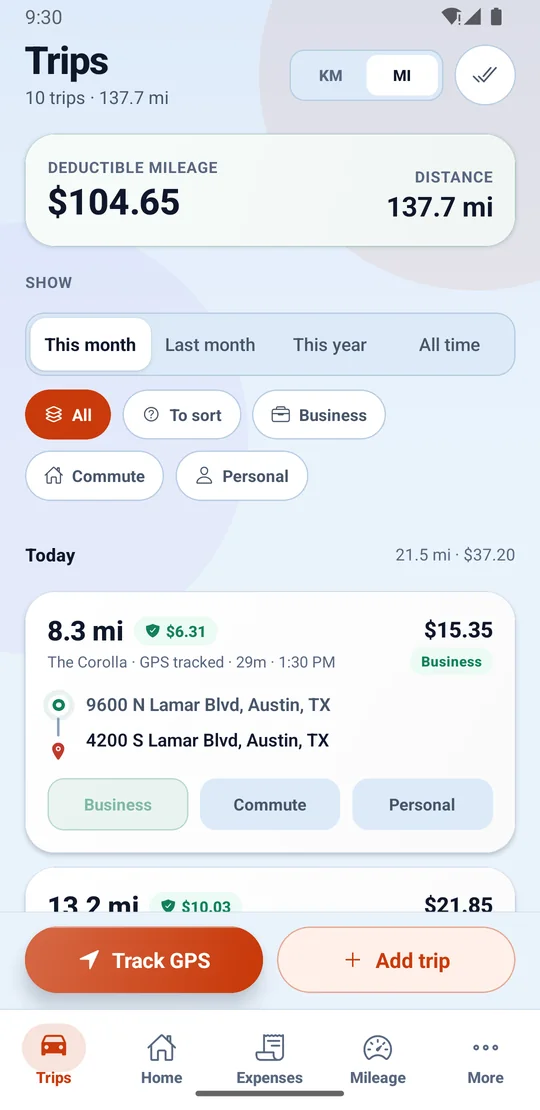
Every drive with its deductible value
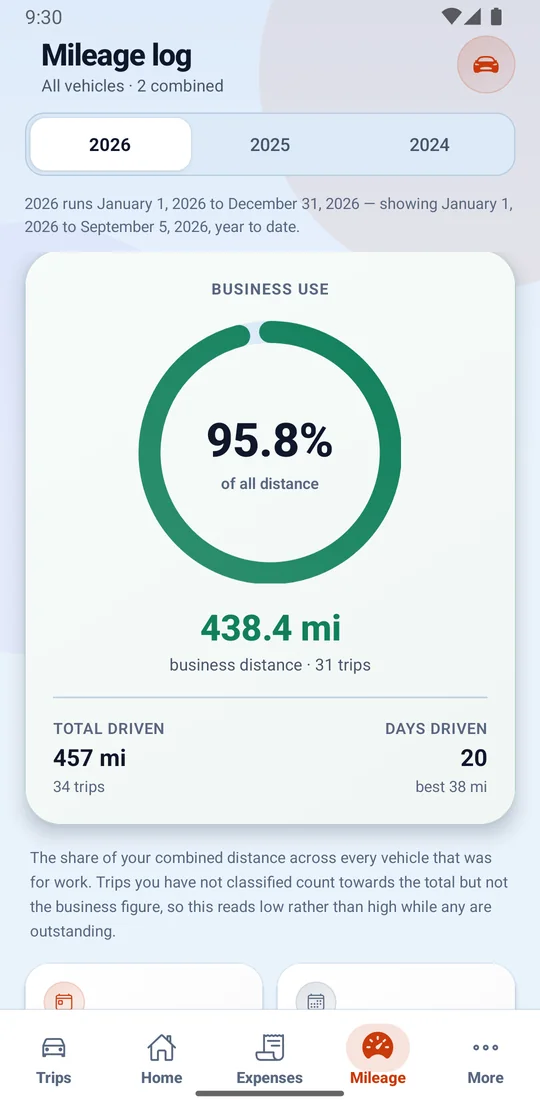
Your business-use share, by tax year
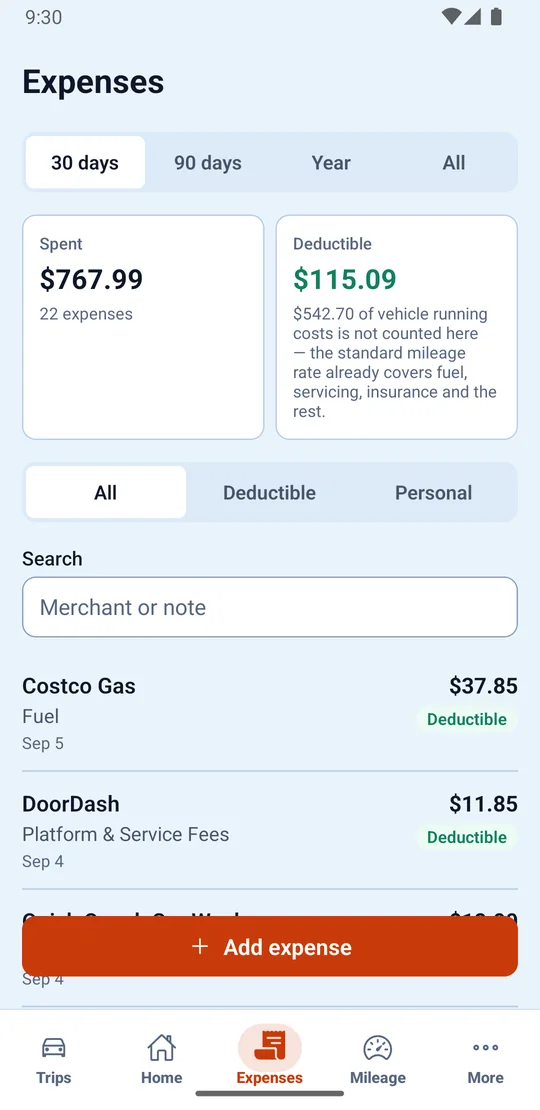
Spent, deductible and searchable
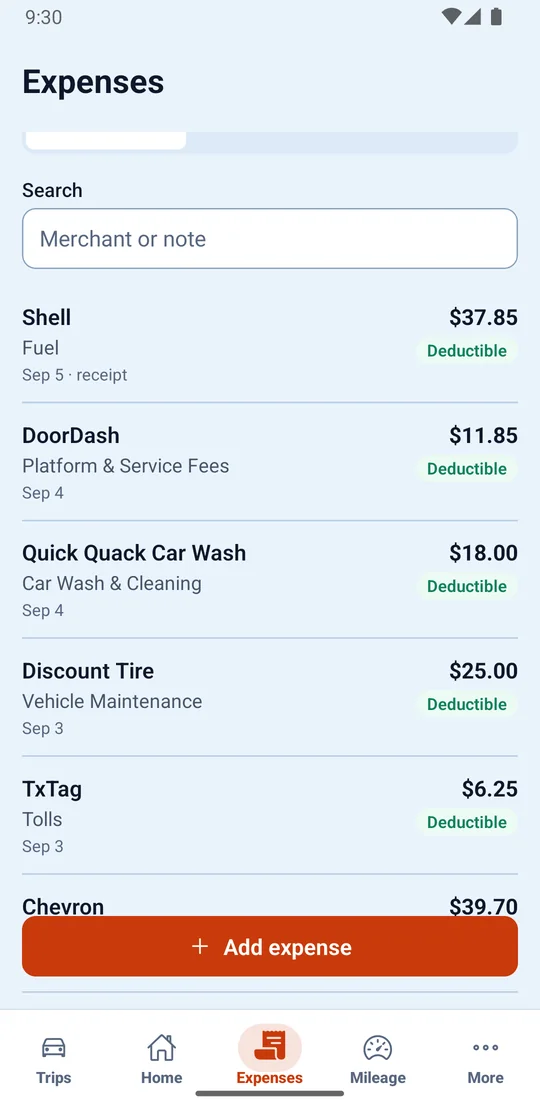
Fuel, tolls, repairs and platform fees
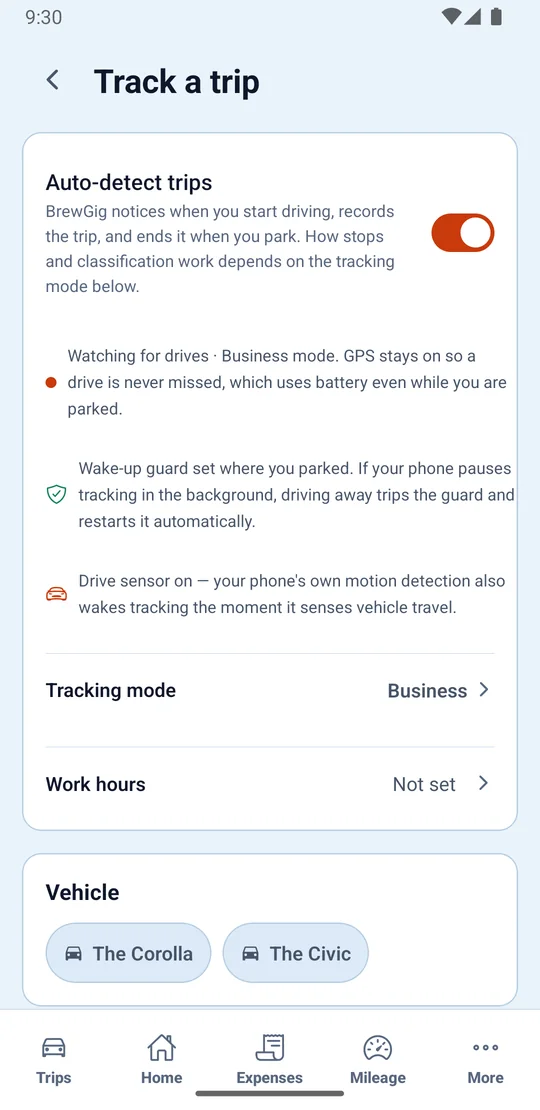
Tracking mode, work hours and vehicles — on Pro and above
Four ways the same records earn their keep — whether the job is driven or desk-bound.
The driving is the job, so the log keeps itself, on Pro and above.
From brief to bank, with the paper trail intact.
Many apps, one ledger — your business is the sum.
Kept all year, so April is an export, not an excavation.
Three plans: a free one you can stay on, and two paid ones. What each costs, what it allows and how long the trial runs are read from the live catalogue rather than written into this page — open the pricing page for the current figures.
The ledger, at no cost and with no card: earnings from every platform in one place, expenses with their receipts, a mileage log you add to yourself, and a tax estimate on your own tax year.
Adds automatic mileage tracking — on Pro and above the app detects a drive with no manual start, keeps the route and ends the trip where you parked — along with more room across the rest of the app.
Everything in Pro, and the tools for running the business side of it: branded PDF invoices, the deeper tax reports and the advanced analytics.
The short answers. The longer ones live on the feature pages and in the policies.
Install BrewGig, allow location access, and drive. On Pro and above your first trip appears on its own, with its deductible value already worked out.